Making Tax Digital guide for sole traders and landlords

If you’re a sole trader or landlord earning more than £50,000 a year, you must use Making Tax Digital for Income Tax from 6 April 2026. The first thing to do now is check your qualifying income against your last tax return, then get compatible software in place before that date.
- HMRC requires three things: digital records, recognised software, and quarterly updates plus a final annual declaration.
- The rollout is phased by income, so smaller landlords and traders have more time, but not much more.
6 April 2026 is the date that matters most this year. Anyone with gross income over £50,000 must be signed up and filing digitally from that point, with quarterly updates following soon after.
Key Takeaways
Making Tax Digital for Income Tax requires digital records, HMRC-recognised software, and quarterly updates culminating in an annual declaration, phased in by income from 6 April 2026.
| Point | Details |
|---|---|
| Check your threshold now | Add self-employment and property income together; £50,000 triggers the 6 April 2026 start date. |
| Three core requirements | Keep digital records, use recognised software, and send quarterly updates plus a final declaration. |
| Sign up before you must | HMRC lets you register early using your Self Assessment credentials and business details. |
| Correct errors as you go | Fix mistakes in the next quarterly update rather than resubmitting a past one. |
| Ledgery automates the admin | Receipt scanning and quarterly summaries help sole traders and landlords stay ready for each deadline. |
Table of Contents
- Who needs to sign up for Making Tax Digital?
- When does Making Tax Digital start and what are the key dates?
- How do you get MTD-compatible software?
- How do you sign up for Making Tax Digital?
- What goes into a quarterly update?
- Who can apply for exemption from Making Tax Digital?
- What happens if you miss a Making Tax Digital deadline?
- How Ledgery supports your Making Tax Digital compliance
- What’s the most important change to make now?
- Where to find official Making Tax Digital guidance
- Frequently asked questions
- Sources
Who needs to sign up for Making Tax Digital?
Qualifying income means your total turnover from self-employment and property, added together, before you deduct any expenses. It’s a gross figure, not your profit. HMRC checks this against your most recent Self Assessment return, but the responsibility to monitor it sits with you, even if no letter arrives.
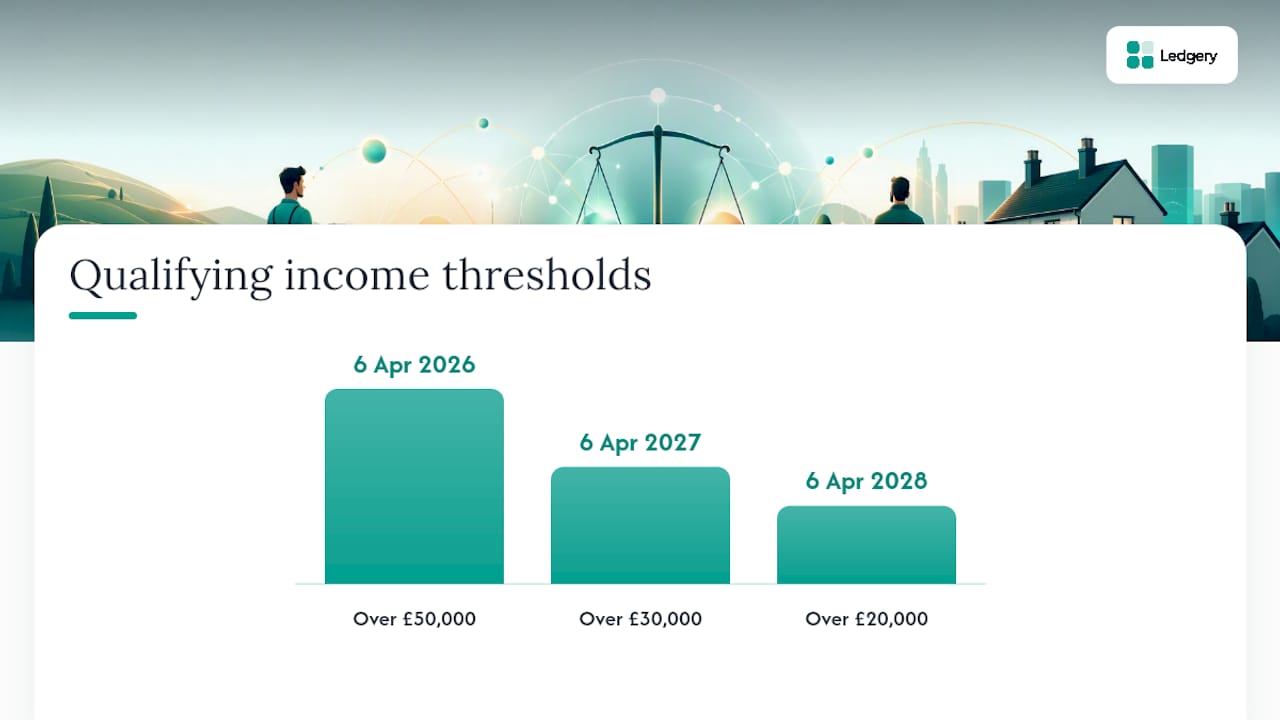
| Tax year checked | Threshold | You must start using MTD from |
|---|---|---|
| — | Over £50,000 | 6 April 2026 |
| — | Over £30,000 | 6 April 2027 |
| — | Over £20,000 | 6 April 2028 |
Say you run a small landscaping business earning £35,000 and rent out a flat for £18,000. Your combined qualifying income is £53,000, so you fall into the 2026 group even though neither activity alone crosses £50,000.
- Rental income counts before deductions such as mortgage interest relief or letting agent fees are taken off.
- Side income from occasional work still counts if it’s reported through Self Assessment.
Pro Tip: Add up every self-employment and property income stream separately, then combine them, rather than checking each one against the threshold on its own.
When does Making Tax Digital start and what are the key dates?
The phased start dates are fixed: 6 April 2026 for income over £50,000, 6 April 2027 for over £30,000, and 6 April 2028 for over £20,000. Once you’re in, quarterly updates and one annual declaration replace the old single-shot tax return submission.
For someone starting on 6 April 2026 using standard quarterly periods, the first update covers 6 April to 5 July 2026, due by 7 August 2026. The pattern repeats every three months, with the final annual declaration due by 31 January following the tax year end.
- Add your first quarterly deadline to your calendar the day you sign up.
- Note whether your software uses standard quarters or calendar quarters, since the dates shift slightly.
- Mark 31 January 2027 as your first final declaration deadline if you start in April 2026.
How do you get MTD-compatible software?
Software must be recognised by HMRC and able to create digital records, generate quarterly updates and submit your final declaration. Spreadsheets alone won’t cut it unless linked through bridging software that maintains an unbroken digital connection from record to submission.
You have three realistic routes. All-in-one software handles everything from receipt capture to submission, which suits most sole traders and landlords. A mix of apps plus bridging software works if you already use several tools and don’t want to switch everything at once. Sticking with spreadsheets and adding bridging software suits those with established, complex spreadsheets they’re reluctant to abandon, though it adds an extra step each quarter.
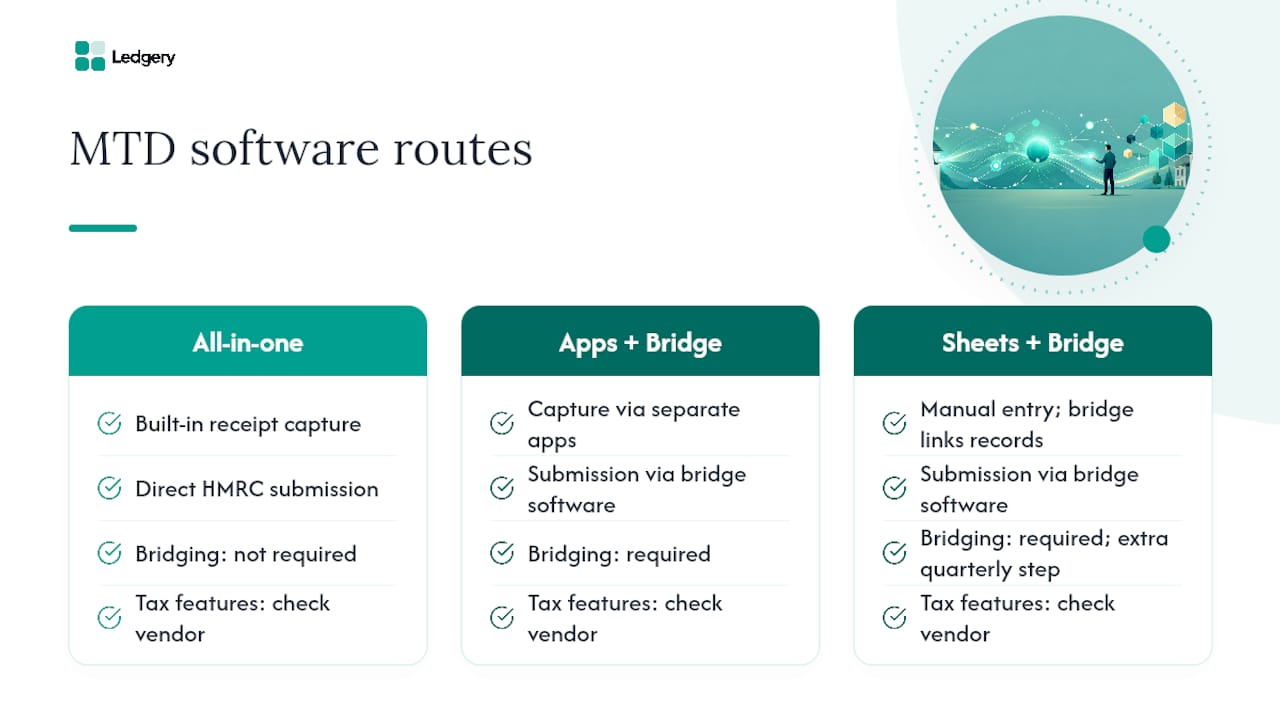
Before choosing, ask any vendor: does it handle multiple income streams, Rent-a-Room relief, capital allowances, and does it support bridging if needed? Ledgery answers these by letting you photograph receipts and automatically sorting them into quarterly summaries ready for submission, which removes the manual entry that trips up most spreadsheet users switching over.
Pro Tip: Migrate one month of old records into your chosen software before your first live quarter, so you catch formatting problems while the stakes are low.
How do you sign up for Making Tax Digital?
- Check your eligibility and confirm your qualifying income against the thresholds above.
- Have your Self Assessment login details ready, since you’ll need your user ID and business details.
- Sign up for MTD ITSA through HMRC’s online service, which you can do ahead of your mandatory start date.
- Gather details for every business and property you run, as each needs setting up separately.
Agents need to create an agent services account and add authorisations for each client. A common pitfall is authorising the wrong Government Gateway account, which delays access for weeks.
- Set up each self-employment and rental property as its own business inside your software.
- Map income categories correctly from the start, and add other income like dividends or savings ready for your year-end return.
What goes into a quarterly update?
A quarterly update is a running total of income and expenses for each business, not a tax calculation. HMRC has been clear that taxpayers won’t complete their whole return in one sitting any more; instead, software compiles these totals from your digital records every three months, and they feed into your annual declaration at year end.
If you spot an error in a past quarterly update, you correct it in your next update or before your final declaration, rather than resubmitting the whole quarter. Quarterly updates are summaries, and the actual tax return still needs submitting separately by 31 January.
- Reconcile bank statements against your quarterly totals before each submission.
- Check HMRC hasn’t already flagged other income sources that need adding at year end.
Pro Tip: Cross-check your quarterly totals against your bank statement each time, since small entry errors compound over four updates.
Who can apply for exemption from Making Tax Digital?
You may qualify for exemption if you’re digitally excluded due to age, disability, location, or religious belief. This isn’t automatic in most cases; you need to apply to HMRC directly.
- Contact HMRC and explain which exclusion ground applies to you.
- Provide supporting evidence where requested.
- Continue filing by your previous method once exemption is confirmed.
- Agents should flag exempt clients clearly so they’re not chased for digital submissions in error.
What happens if you miss a Making Tax Digital deadline?
Late quarterly updates now trigger a points-based penalty system rather than an instant fine. Points build up with repeated lateness, and only once you cross the threshold does a financial penalty apply. Late payment penalties remain separate and apply regardless of points.
- Keep digital records current rather than batching them at quarter end.
- Use deadline alerts so you’re never relying on memory alone.
- Submit corrections as soon as you spot them, rather than waiting for the next update.
Pro Tip: Set a reminder a week before each quarterly deadline, not on the day, so there’s time to fix data issues before you submit.
How Ledgery supports your Making Tax Digital compliance
Ledgery is built around the three technical requirements HMRC sets out: digital records, compatible software, and quarterly submissions. You photograph a receipt, and it’s sorted into the right quarterly category automatically, which removes the manual bookkeeping most sole traders dread.
- AI receipt scanning turns paper and digital receipts into organised expense records.
- Quarterly summaries are generated automatically, ready for submission.
- Deadline alerts flag upcoming quarterly and annual dates.
- Export functionality prepares figures for HMRC submission.
Ledgery’s free first quarter trial lets you test this workflow before committing, which matters most for anyone crossing the £50,000 threshold in 2026.
What’s the most important change to make now?
Spreading your admin across the year, not saving it for January, is the single biggest behaviour shift MTD demands and a key benefit of learning how to automate bookkeeping for small business. Most people underestimate how much easier this makes tax once the habit sticks.
Sign up or trial software now, and migrate at least a month of existing records before your first live quarter. If you have mixed income streams, keep them as separate businesses inside your software from day one; merging them later is far harder than starting clean.
Get compliant before the deadline with Ledgery
Ledgery turns receipt admin into quarterly-ready records instead of a January scramble, which is the practical gap most sole traders and landlords hit when MTD arrives. Rather than reconciling spreadsheets by hand or paying an agent to key in every expense, you photograph receipts as they happen and Ledgery organises them into the quarterly format HMRC expects.
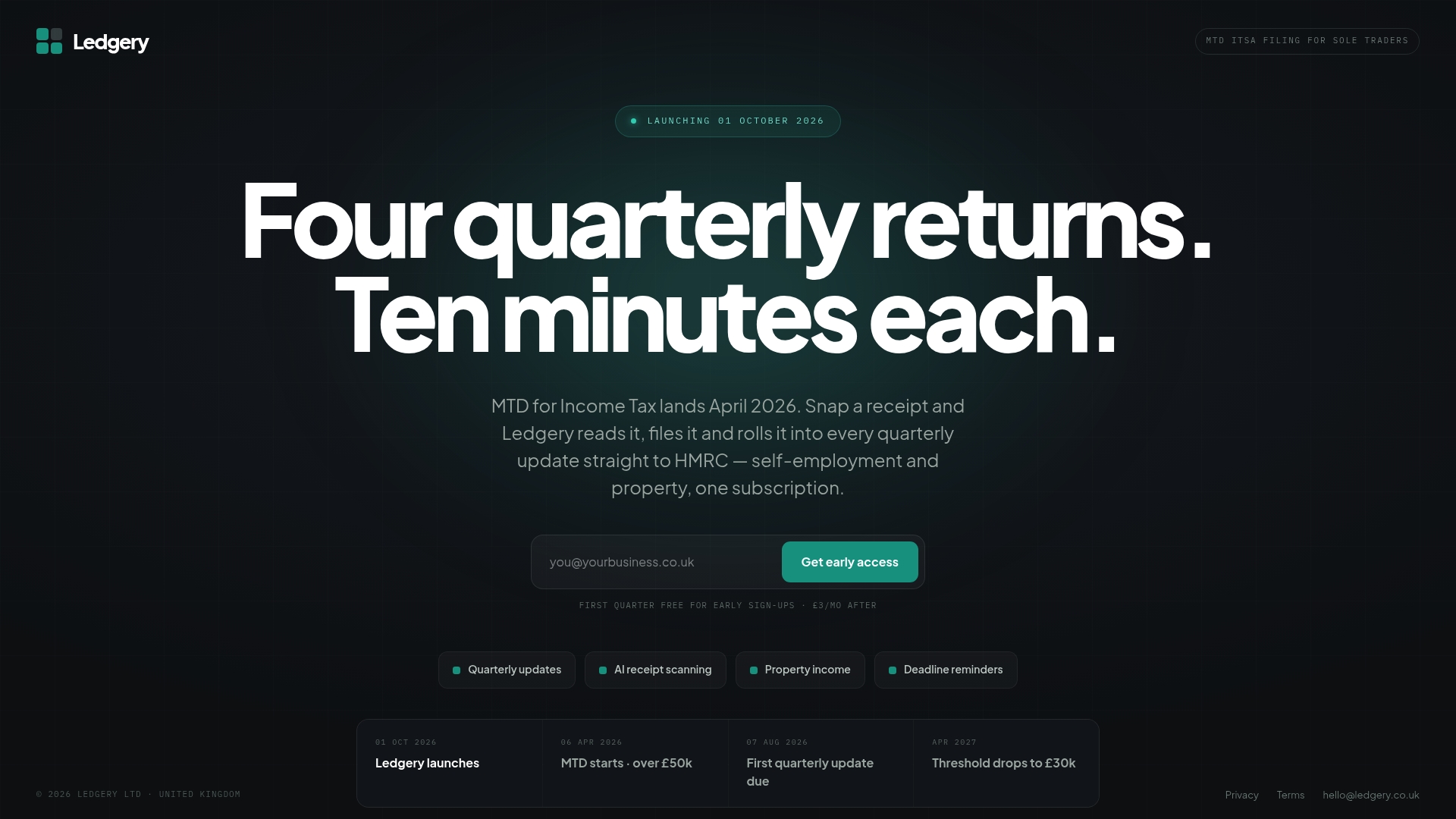
The free first quarter trial means you can test the whole workflow, from receipt capture to export, before your mandatory start date lands. If you’re approaching the £50,000 threshold for April 2026, start your Ledgery trial now and have a working system in place well before your first quarterly update is due.
Where to find official Making Tax Digital guidance
- Sign up for Making Tax Digital for Income Tax to register and check exemption routes.
- Use Making Tax Digital for Income Tax for full compliance guidance and deadlines.
- HMRC’s software finder helps you check whether your chosen tool is recognised before you sign up.
Frequently asked questions
What is Making Tax Digital for Income Tax? It’s the HMRC system requiring sole traders and landlords above set income thresholds to keep digital records and file quarterly, rather than one annual return.
Who has to use MTD from April 2026? Anyone with gross self-employment and property income over £50,000, based on your most recent Self Assessment figures.
Can I use spreadsheets for Making Tax Digital? Yes, provided they’re linked to HMRC through bridging software that maintains a complete digital link to submission.
What happens if I miss a quarterly deadline? You accumulate a penalty point rather than an instant fine; repeated lateness eventually triggers a financial penalty.
Do I need an accountant to comply with MTD? No, though agents can manage submissions on your behalf if authorised through HMRC’s agent services account.
This article is general information, not a substitute for advice from a qualified financial advisor. Consult a qualified financial professional about your own circumstances before acting on anything here.
Sources
- Gov
- Gov
- Making Tax Digital for Income Tax - HMRC guide (campaign site)
- Income tax MTD end‑to‑end service guide - HMRC developer documentation
Recommended
Self-employment and property income in one subscription, first quarter free. Join the early access list and we’ll email you once, when it opens.
Join early access