MTD ITSA for landlords: your 2026 compliance guide

Landlords with combined gross property and self-employment income above £50,000 must use Making Tax Digital for Income Tax Self Assessment (MTD ITSA) from 6 April 2026. The threshold is tested against the 2024/25 tax return, so the immediate next step is to add up gross rents and any self-employment turnover from that return and, if the total exceeds £50,000, begin preparing to enrol now.
Key facts at a glance:
- The qualifying income test uses gross figures, before any expenses are deducted.
- The mandate applies to individuals only. Limited companies are outside MTD ITSA scope.
- Voluntary sign-up is open now for landlords who want to get ahead.
- LITRG and NRLA both publish specialist commentary to support landlords through the transition.
- Ledgery is designed specifically for this: receipt scanning, quarterly update generation and HMRC-compatible exports, all in one place.
Pro Tip: Check your 2024/25 SA105 (UK property) and SA103 (self-employment) boxes now. Those gross figures are exactly what HMRC uses to determine whether you are in scope for April 2026.
Key takeaways
MTD ITSA requires landlords with qualifying income above £50,000 to keep digital records and submit quarterly updates to HMRC from 6 April 2026, with the threshold dropping to £30,000 in April 2027 and £20,000 in April 2028.
| Point | Details |
|---|---|
| Who is in scope | Landlords with gross property plus self-employment income above £50,000, tested on the 2024/25 return. |
| What changes | Reporting frequency and format only. Tax rules and profit calculations remain the same. |
| Key dates | 6 April 2026 (£50k), 6 April 2027 (£30k), 6 April 2028 (£20k). |
| Software requirement | HMRC-recognised software or a spreadsheet with bridging software is mandatory; HMRC provides no software itself. |
| Ledgery | Ledgery automates receipt capture, quarterly update generation and HMRC-compatible exports, with a free first quarter to get started. |
Table of Contents
- What is MTD for Income Tax and what actually changes for landlords?
- Who needs to sign up for MTD ITSA?
- What are the key MTD ITSA dates landlords must know?
- How do you sign up for MTD ITSA?
- What must MTD-compatible software do and how should you keep digital records?
- What goes into each quarterly update and how does the final return work?
- Who is exempt from MTD ITSA and how do special cases work?
- What are the penalties for missing MTD ITSA deadlines?
- A practical checklist and worked example for a £60,000 landlord
- Why Ledgery built this for landlords
- Ledgery makes MTD ITSA compliance straightforward
- Sources
What is MTD for Income Tax and what actually changes for landlords?
MTD ITSA is a digital reporting and recordkeeping requirement enforced by HMRC. It replaces the once-a-year SA100 Self Assessment process for in-scope taxpayers with a system of quarterly digital updates, an end-of-period statement, and a final declaration. The mechanics are new. The tax rules are not.
LITRG is clear on this point: MTD does not change how rental profit is calculated. Allowable expenses, finance cost restrictions, the property income allowance, and wear and tear rules all remain exactly as they are. What changes is the frequency and format of reporting.
In practical terms, Making Tax Digital for landlords means:
- Digital records must be kept for every income and expense transaction throughout the year.
- Quarterly updates are submitted to HMRC via compatible software, showing cumulative income and expenditure.
- An end-of-period statement (EoPS) is submitted after the tax year ends, confirming the figures for each property business.
- A final declaration replaces the SA100 and pulls together all income sources for the year.
The reporting cadence is more frequent, but the underlying calculation of taxable profit stays the same.
Pro Tip: The most common landlord misconception about MTD ITSA is that it changes what tax is owed. It does not. Think of it as a change to the filing calendar and the format of records, not a change to the tax rules themselves.
Who needs to sign up for MTD ITSA?
The qualifying income test is straightforward, but the detail matters. HMRC defines qualifying income as the combined total of:
- Gross self-employment turnover (before expenses), and
- Gross UK and overseas property rental income (before expenses).
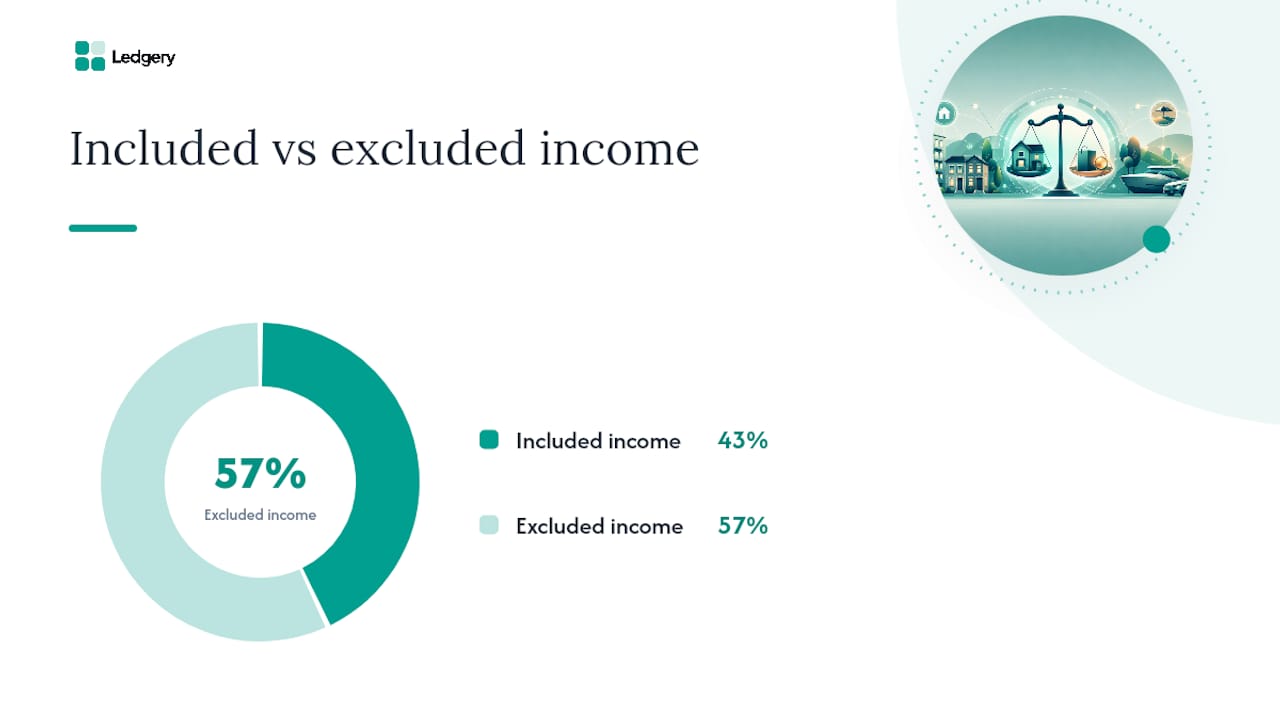
Employment income, dividends, pensions, and savings interest do not count towards the threshold. Only self-employment and property income are included.
What counts and what does not
| Income type | Counts towards threshold? |
|---|---|
| Gross rental income (UK property) | Yes |
| Gross rental income (overseas property) | Yes |
| Gross self-employment turnover | Yes |
| PAYE employment income | No |
| Dividends | No |
| Pension income | No |
| Savings interest | No |
Worked example
A landlord receives £42,000 gross rent from two UK properties and earns £15,000 as a self-employed consultant. Their qualifying income is £57,000. That exceeds £50,000, so they are in scope from 6 April 2026.
A second landlord receives £28,000 gross rent and has no other self-employment income. Their qualifying income is £28,000. They are not in scope for April 2026 but will be in scope from April 2027 if the threshold drops to £30,000 and their income remains above it.
Joint ownership
Where a property is jointly owned, each owner reports their individual share of the income. The default split is 50/50 for married couples and civil partners unless a Form 17 has been submitted to HMRC to reflect the actual beneficial ownership. Each owner applies the threshold test to their own share, not the combined total.
GOV.UK publishes a dedicated tool to help landlords calculate their qualifying income using the correct reference-year figures.
Pro Tip: The reference year for the April 2026 mandate is the 2024/25 tax return. Look at box 20 on SA105 for gross rents and box 9 on SA103 for gross turnover. Those two figures, added together, give your qualifying income.
What are the key MTD ITSA dates landlords must know?
The rollout is phased. HMRC has confirmed three threshold stages:
- 6 April 2026: mandatory for qualifying income above £50,000 (reference year: 2024/25 return).
- 6 April 2027: mandatory for qualifying income above a lower threshold (reference year: 2025/26 return).
- 6 April 2028: mandatory for qualifying income above a further reduced threshold (reference year: 2026/27 return).
Quarterly submission deadlines
The standard UK tax year runs from 6 April to 5 April. Quarterly updates follow these periods and deadlines:
- Quarter 1 (6 April to 5 July): submit by 7 August.
- Quarter 2 (6 July to 5 October): submit by 7 November.
- Quarter 3 (6 October to 5 January): submit by 7 February.
- Quarter 4 (6 January to 5 April): submit by 7 May.
The final declaration must be submitted by 31 January following the end of the tax year, the same deadline as the current SA100.
Calendar actions for landlords in scope from April 2026
- Now: calculate qualifying income from the 2024/25 return.
- Now to December 2025: choose and set up compatible software, digitise existing records.
- January to March 2026: complete a trial submission if the software allows it.
- By 6 April 2026: enrol with HMRC and confirm software is linked.
- 7 August 2026: first quarterly update due (Quarter 1, April to July 2026).
How do you sign up for MTD ITSA?
Signing up requires a Government Gateway account, a Unique Taxpayer Reference (UTR), and compatible software already linked to HMRC’s systems. The process differs slightly depending on whether a landlord is signing up directly or using an agent.
Individual sign-up steps
- Log in to your Government Gateway account at GOV.UK.
- Navigate to the MTD for Income Tax sign-up service.
- Confirm your UTR and National Insurance number.
- Select the tax year from which you want MTD to apply.
- Authorise your chosen software to connect to HMRC’s systems via the software’s own settings.
- Receive confirmation from HMRC that enrolment is complete.
Signing up through an agent
If a landlord uses an accountant or tax agent, the agent can sign up on their behalf through HMRC’s agent services account. The landlord must still authorise the agent to act for them under MTD, which is a separate digital authorisation from the existing 64-8 paper authority.
Key points for agent arrangements:
- The agent must have an agent services account set up with HMRC before they can enrol clients.
- Digital authorisation must be in place before the agent can submit the first quarterly update.
- The landlord remains legally responsible for the accuracy of submissions, even when an agent submits on their behalf.
- Confirm agent access is active well before the first quarterly deadline to avoid a missed submission.
What must MTD-compatible software do and how should you keep digital records?
HMRC does not provide MTD ITSA software. Landlords must choose from HMRC-recognised compatible products or use a spreadsheet combined with HMRC-recognised bridging software. Both approaches are acceptable, but the software must meet minimum functional requirements.
Minimum software capabilities
Compatible software must be able to:
- Create, store, and correct digital records of income and expenses.
- Submit quarterly updates directly to HMRC.
- Submit the end-of-period statement (EoPS) to HMRC.
- Support submission of the final declaration (either directly or via bridging).
What digital records must contain
GOV.UK’s digital records guidance sets out the transaction-level data that must be kept. For landlords, this includes:
- Rent receipts and letting agent statements showing gross rental amounts.
- Invoices and receipts for allowable expenses (repairs, insurance, management fees, etc.).
- Mileage logs where travel costs are claimed.
- Mortgage interest statements (for the finance cost restriction calculation).
- Records of any capital expenditure, even where not immediately deductible.
Records must be retained for five years after the 31 January submission deadline for the relevant tax year.
Bridging software and spreadsheets
Landlords who prefer to keep working in spreadsheets can do so, provided the spreadsheet is connected to HMRC’s systems via a recognised bridging tool. This is often a lower-cost transitional route and suits landlords with straightforward portfolios. The bridging software handles the API connection to HMRC; the landlord maintains the spreadsheet as the underlying record.
HMRC maintains a product compatibility list where landlords can filter by feature and confirm a product is recognised.
Pro Tip: Bank feed integration and receipt scanning save significant time at quarterly filing. When income and expenses flow in automatically and are categorised on arrival, the quarterly update becomes a review task rather than a data-entry task.

What goes into each quarterly update and how does the final return work?
Each quarterly update is a cumulative snapshot of income and expenditure for the property business up to the end of that quarter. Landlords do not submit individual transactions; they submit totals.
What each quarterly update must include
- Cumulative gross rental income for the tax year to date.
- Cumulative allowable expenditure by category (repairs, finance costs, management fees, etc.).
- Any claims for allowances or reliefs applicable to the property business.
The figures are cumulative, so Quarter 2 includes everything from Quarter 1 plus the new activity in Quarter 2. This means an error in Quarter 1 is corrected by adjusting the Quarter 2 cumulative total, not by resubmitting Quarter 1.
End-of-period statement and final declaration
After the fourth quarterly update, the landlord (or their agent) submits an EoPS for each property business. The EoPS confirms the annual figures and allows the landlord to make any final adjustments, such as capital allowances claims or loss relief elections.
The final declaration then pulls together all income sources for the tax year, including employment income, dividends, and any other sources outside MTD. It replaces the SA100 and must be submitted by 31 January following the end of the tax year.
Payments on account (31 January and 31 July) remain on the same schedule as before. The quarterly updates give a running estimate of liability, which helps landlords plan cash flow, but they do not change the payment dates.
Example schedule for a landlord in scope from April 2026
Who is exempt from MTD ITSA and how do special cases work?
Exemptions from MTD ITSA exist but are narrow. HMRC may grant an exemption where complying digitally is not reasonably practicable, for example due to age, disability, or location without reliable internet access. Exemptions are not automatic; landlords must apply to HMRC and demonstrate why digital compliance is not feasible.
How to apply for an exemption
- Contact HMRC to request an exemption before the mandate date.
- Explain the specific reason digital compliance is not reasonably practicable.
- HMRC will assess the application and confirm in writing whether the exemption is granted.
- If granted, the landlord continues to file annual SA100 returns as before.
Special cases landlords ask about
- Limited companies: properties held through a limited company are entirely outside MTD ITSA scope. MTD ITSA applies only to individuals.
- Furnished holiday lets (FHLs): FHL income counts as property income for the qualifying income test. The abolition of the FHL regime from April 2025 means former FHL income is now treated as standard property income for MTD purposes.
- Foreign property: overseas rental income counts towards qualifying income and must be included in digital records and quarterly updates.
- Joint ownership: each co-owner reports their individual share. Software that supports per-owner allocation avoids duplicated or unnecessarily complex records across joint owners.
Agent arrangements
Even where an agent submits quarterly updates and the EoPS on a landlord’s behalf, the landlord must still maintain their own digital records. The agent submits; the landlord retains. Both obligations sit with the landlord.
What are the penalties for missing MTD ITSA deadlines?
HMRC’s penalty regime for MTD ITSA uses a points-based system for late quarterly updates. Each missed submission adds one penalty point. When points reach the threshold (currently four points for quarterly filers), a fixed financial penalty applies. Points reset after a period of full compliance.
Common compliance mistakes and their consequences
- Late registration: missing the enrolment deadline means the first quarterly update may already be overdue when the landlord joins.
- Incomplete digital records: submitting quarterly updates based on incomplete data leads to corrections at EoPS, which can trigger interest on underpaid tax.
- Unsupported spreadsheets: using a spreadsheet without recognised bridging software does not meet the digital link requirement and can result in a compliance failure.
- Missing agent authorisation: if an agent’s digital authorisation is not in place before the first deadline, the submission cannot be made through the agent’s account.
Practical steps to limit risk
- Set calendar reminders for all four quarterly deadlines and the final declaration date.
- Run a trial submission before the first live deadline to confirm the software-to-HMRC connection works.
- Export and back up digital records regularly, not just at year end.
- Reconcile bank statements against digital records at least quarterly to catch gaps before they become errors.
Pro Tip: If a quarterly update is missed, submit it as soon as possible. HMRC’s points system rewards prompt correction, and early action before a penalty notice is issued can support a reasonable excuse application.
A practical checklist and worked example for a £60,000 landlord
Preparation checklist
- Calculate qualifying income from the 2024/25 SA return (SA105 box 20 plus SA103 box 9).
- Choose HMRC-recognised software or a spreadsheet with bridging software.
- Enrol for MTD ITSA via GOV.UK before 6 April 2026.
- Digitise all income and expense records from 6 April 2026 onwards.
- Set quarterly filing reminders: 7 August, 7 November, 7 February, 7 May.
- Confirm agent digital authorisation is active if using an accountant.
- Back up digital records after each quarterly submission.
Worked example: landlord with £60,000 gross rent
Assumptions: sole landlord, no self-employment income, two UK properties, gross rent £60,000 per year, allowable expenses £18,000 per year (spread evenly across quarters). No mortgage interest for simplicity.
The Q4 cumulative figures feed directly into the EoPS. The final declaration then adds any other income sources and calculates the total tax liability. The first payment on account for the following year is due 31 January 2027.
For landlords with multiple properties, the same cumulative approach applies across the whole portfolio, not property by property. For those with combined self-employment income, the self-employment business and the property business are reported as separate income streams within the same MTD framework.
Pro Tip: Reconcile your bank statement against your digital records at the end of each quarter before submitting. A five-minute check at quarter end is far less disruptive than a correction at EoPS that triggers an interest charge.
Why Ledgery built this for landlords
MTD ITSA creates a genuine administrative shift for landlords. The quarterly cadence, the digital record requirement, and the new software dependency all add time and complexity to what was previously a once-a-year task. Ledgery was built specifically to reduce that burden for self-employed individuals and property owners.
The platform focuses on the tasks that take the most time: capturing receipts, categorising expenses, and generating the quarterly summaries that feed HMRC submissions. Landlords who have managed their records in a shoebox or a basic spreadsheet face the steepest learning curve. Ledgery is designed to meet them where they are.
Common concerns from landlords include the time cost of quarterly filing, the risk of late penalties, and the complexity of coordinating with an accountant under the new digital authorisation rules. Ledgery addresses each of these at a practical level, with deadline alerts, exportable records, and a format that accountants can work with directly.
Ledgery makes MTD ITSA compliance straightforward
Quarterly filing does not have to mean quarterly stress. Ledgery gives landlords and sole traders a direct route to MTD ITSA compliance without the overhead of a full accounting package.
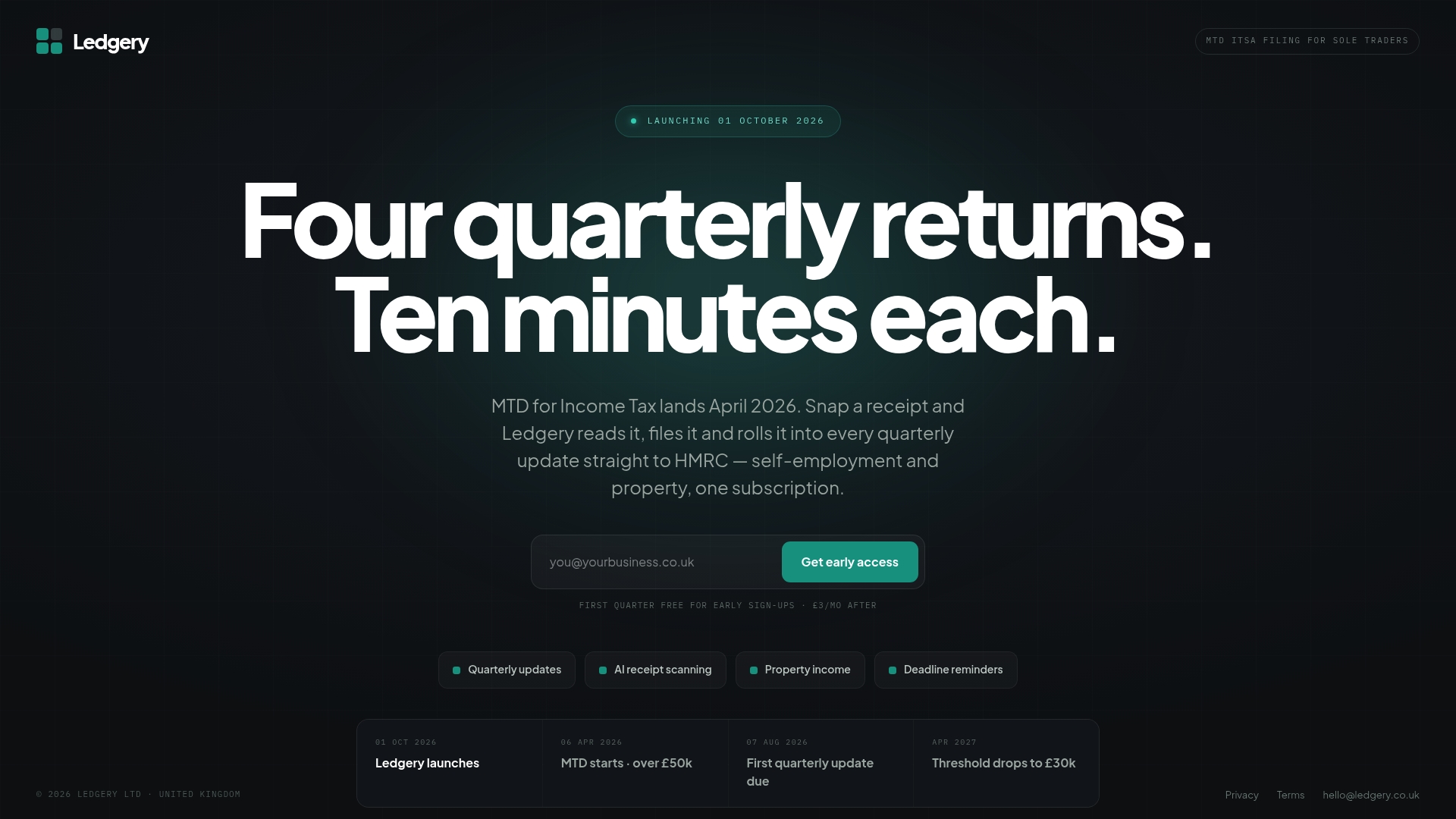
Snap a photo of a receipt and Ledgery categorises it automatically. At the end of each quarter, the platform generates a summary ready for HMRC submission. Deadline alerts mean no missed filing dates, and every record is stored in a format that meets HMRC’s digital retention requirements.
The first quarter is free. After that, a straightforward monthly or annual subscription keeps the platform running year-round. There are no long-term contracts and no setup fees.
Landlords earning above £50,000 who want to get ahead of the April 2026 mandate can start with Ledgery today and use the free quarter to build the habit before the first live deadline arrives.
Sources
The following official and specialist sources cover the rules in full and are worth bookmarking:
This article provides general information about MTD ITSA requirements and is not a substitute for professional tax advice. Confirm current rules with GOV.UK or a qualified tax adviser before making compliance decisions.
Recommended
Self-employment and property income in one subscription, first quarter free. Join the early access list and we’ll email you once, when it opens.
Join early access