Spreadsheets vs accounting software: when to switch

If you are a sole trader or small business owner spending more than a few hours a week on manual bookkeeping, accounting software will almost certainly save you time and reduce your risk of errors. Spreadsheets are a reasonable starting point, but they have a ceiling. Once your transaction volume grows, you hire staff, or HMRC’s Making Tax Digital (MTD) requirements apply to you, the case for staying on spreadsheets weakens considerably.
Switch now if any of these apply to you:
- You spend more than a few hours a week on data entry and reconciliation.
- Your transaction volume grows beyond what is manageable with spreadsheets.
- You have hired, or are about to hire, your first member of staff.
- You need to produce quarterly or annual reports for HMRC submissions.
- You are approaching the MTD for Income Tax threshold (currently £50,000 gross income for the self-employed and landlords).
- You have been audited, or your accountant has flagged errors in your records.
Stay on spreadsheets if your finances are genuinely simple: a handful of invoices a month, one income stream, no employees, and no imminent compliance pressure. The moment that picture changes, plan your migration for the start of your next financial year or quarter.
Pro Tip: If you are self-employed and earning over £50,000, MTD for Income Tax will require digital record-keeping and quarterly HMRC updates. A purpose-built tool like Ledgery handles both automatically, so you are not retrofitting a spreadsheet to meet a compliance standard it was never designed for.
Key takeaways
Accounting software is the stronger choice for any sole trader or small business owner spending significant time on manual bookkeeping, approaching MTD thresholds, or managing more than one income stream or bank account.
| Point | Details |
|---|---|
| Stay on spreadsheets if | Your finances are simple: one income stream, few transactions, no staff, no imminent MTD obligation. |
| Switch when signals appear | Five or more hours a week on bookkeeping, 500+ transactions a year, or an MTD threshold approaching. |
| Migrate at the right time | Start of a financial year or quarter; never mid-tax season, to avoid reconciliation pressure. |
| Evaluate total cost | Include subscription fees, add-ons, and time saved; software often costs less overall than manual hours. |
| Ledgery for self-employed filers | Receipt scanning, quarterly HMRC updates, and deadline alerts, with a free first quarter to test the workflow. |
This article is general information, not a substitute for advice from a qualified financial advisor. Consult a qualified financial professional about your own circumstances before acting on anything here.
Table of Contents
- Spreadsheets vs accounting software: five differences that matter
- Pros and cons of spreadsheets for business finances
- Pros and cons of accounting software for small businesses
- When should you switch from spreadsheets to accounting software?
- How to choose the right accounting software
- Common mistakes to avoid with spreadsheets and accounting software
- What Ledgery’s design tells you about what actually matters
- The migration mistake most owners make
- Ledgery: a straightforward starting point for self-employed filers
- Sources
Spreadsheets vs accounting software: five differences that matter
The practical gap between a well-maintained spreadsheet and dedicated accounting software is wider than most owners expect. The table below maps the key dimensions.
| Dimension | Spreadsheets | Accounting software |
|---|---|---|
| Features / functionality | Manual formulas, custom layouts, no native accounting logic | Double-entry bookkeeping, invoicing, payroll add-ons, MTD export |
| Accuracy / error risk | High: one broken formula can corrupt months of data | Lower: built-in validation rules and audit trails |
| Automation / time saved | Minimal: copy-paste, manual categorisation | Bank feeds, auto-reconciliation, recurring entries |
| Integrations | Limited: manual CSV imports | Bank feeds, payment gateways, HMRC APIs |
| Usability / collaboration | Single-user by default; version conflicts with shared files | Multi-user with role permissions; real-time cloud access |
| Scalability / reporting | Degrades as data grows; pivot tables require expertise | Scales with the business; standard reports generated instantly |
| Pricing / total cost | Low upfront; hidden cost is owner time | Monthly subscription; total cost often lower once time is counted |
The most consequential difference is automation. Modern accounting platforms use bank feeds to pull transactions directly from your bank, categorise them, and flag mismatches, replacing a process that can take hours each week with one that takes minutes. Spreadsheets require you to download a statement, paste it in, and manually match every line.
The second difference is error risk. A single misplaced formula in a spreadsheet can silently produce wrong totals for weeks. Accounting software applies consistent accounting rules to every transaction, and most platforms flag anomalies before they become problems.
Collaboration is the third gap that catches growing businesses off guard. Sharing a spreadsheet over email or even a shared drive creates version-control problems almost immediately. Cloud-based accounting tools give real-time reporting and multi-user access that spreadsheets cannot match without complex workarounds.
Pros and cons of spreadsheets for business finances
Small businesses commonly start with Excel because it is low cost and flexible, and for many early-stage sole traders that is the right call. The problems tend to arrive gradually, which is exactly why they are easy to ignore until they are serious.
Pros:
- No subscription cost; most owners already have access to Excel or Google Sheets.
- Highly flexible for custom analysis, one-off reports, and bespoke modelling.
- Familiar to most business owners with no learning curve.
- Useful as a companion tool even after switching to software, for deeper pivot-table analysis.
Cons:
- Manual data entry creates a high risk of formula errors and copy-paste mistakes.
- No native bank feeds or automated reconciliation.
- Poor multi-user controls; version conflicts are common in shared files.
- No built-in audit trail; changes can be overwritten without a record.
- Scaling is painful: as transaction volume grows, spreadsheets become slower and harder to maintain.
- No direct HMRC or MTD export capability.
Spreadsheets remain useful for custom analysis and one-off reports; many businesses export data from accounting software into spreadsheets for deeper modelling. That hybrid approach, software for transactional control and spreadsheets for analysis, is common and sensible.
Pro Tip: If you are staying on spreadsheets for now, lock your formula rows, use a separate tab for raw data, and reconcile your bank statement at the end of every month without exception. A missed month is where errors compound.
Pros and cons of accounting software for small businesses
Accounting software centralises transaction recording and automates journal entries, reporting, payroll and reconciliation, which is the core reason most small businesses eventually make the switch. The time savings are real, and for businesses with growing transaction volumes, the accuracy gains are significant.
The practical upside starts with bank feeds. Once connected, your bank transactions appear in the software automatically, categorised and ready to review. Reconciliation, which might take an afternoon on a spreadsheet, typically takes minutes. Double-entry bookkeeping is handled in the background, so your profit and loss, balance sheet, and cash flow reports are always current without any manual effort.
Multi-user access changes how you work with an accountant or bookkeeper. Instead of emailing files back and forth, both parties see the same data in real time. Role-based permissions mean your accountant can review and adjust entries without touching anything they should not.
Automation in accounting is especially valuable for standardised processes such as accounts payable, accounts receivable, payroll and bank reconciliation, because it reduces human error and speeds the monthly close. NetSuite’s research on accounting automation identifies these as the highest-impact areas for small businesses.
Cons to weigh honestly:
- Monthly subscription costs add up; entry-level plans typically start from an affordable price, with add-ons for payroll or multi-currency pushing costs higher.
- Setup takes time: mapping your chart of accounts and importing historical data is not instant.
- Some platforms carry features a sole trader will never use, which adds complexity without benefit.
- Switching costs exist: if you choose the wrong platform, migrating again is disruptive.
The total cost of ownership calculation usually favours software once you account for owner time. When weighing cost, include subscription fees, add-ons, onboarding and staff time saved — accounting software can work out cheaper overall once those factors are counted.
When should you switch from spreadsheets to accounting software?
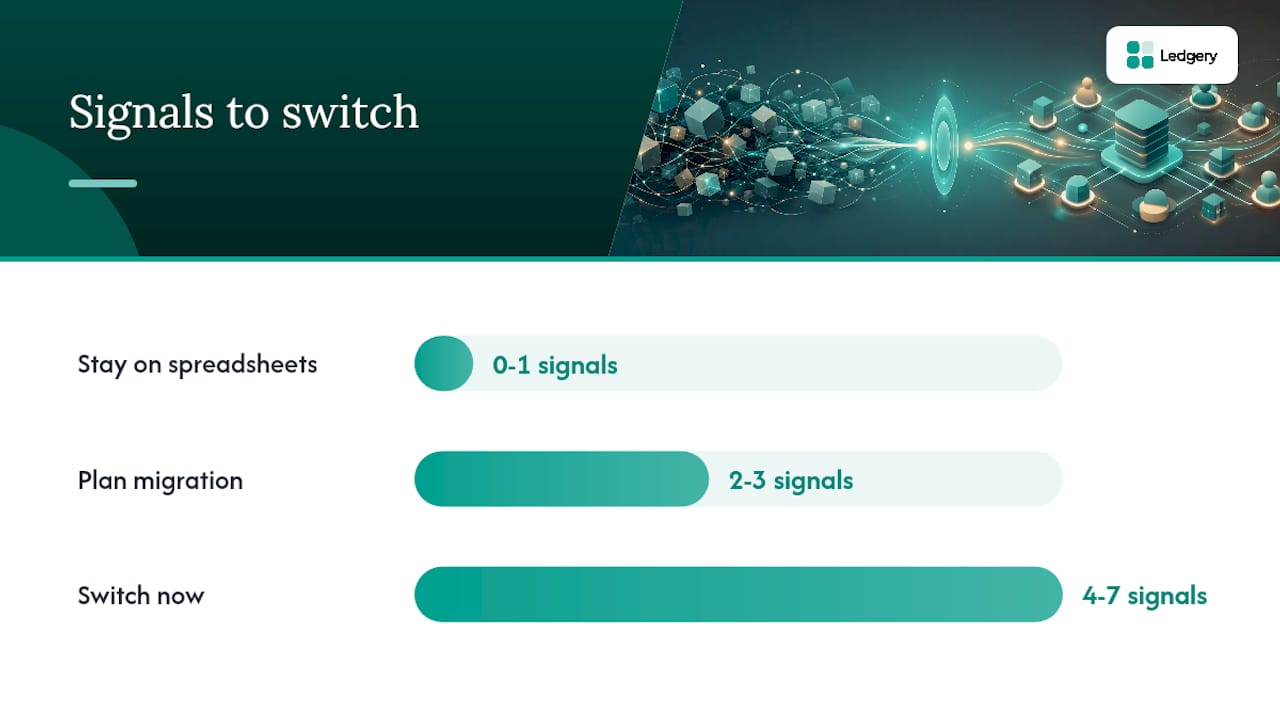
The signals below are measurable. If two or more apply to you, the case for switching is strong.
- You spend more than five hours a week on bookkeeping. That is roughly 260 hours a year on a task software can compress to a fraction of that time.
- Your transaction volume exceeds 500 entries a year. At that volume, manual reconciliation becomes a meaningful error risk.
- You operate more than one bank account or card. Tracking multiple accounts in a spreadsheet multiplies the chance of missed transactions.
- You are hiring staff. Payroll, PAYE, and employer obligations are not spreadsheet-friendly.
- You need to produce quarterly HMRC updates. MTD for Income Tax requires digital record-keeping and quarterly submissions; a spreadsheet does not connect to HMRC’s systems.
- Your accountant has flagged errors or asked for more structured records. That is a direct signal your current system is not fit for purpose.
- You are preparing for investment, a loan, or a business sale. Investors and lenders expect clean, auditable records, not a spreadsheet with colour-coded rows.
Timing matters as much as the decision itself. The best time to migrate is at the start of a new financial year or a new quarter; switching mid-tax-season means reconciling historical data under pressure, which is where mistakes happen. If your financial year ends in April, plan your migration for May. If it ends in December, January is your window.
Quick decision flow:
- Fewer than two signals above apply: stay on spreadsheets, review again in six months.
- Two or three signals apply: plan migration for the start of your next quarter.
- Four or more signals apply: switch now, before the problem compounds.
Pro Tip: Run your spreadsheet and new software in parallel for one full month before cutting over. This lets you catch any categorisation mismatches before they affect a tax submission.
How to choose the right accounting software
Not every platform suits every business. A sole trader with one income stream needs something different from a small business with employees, multiple suppliers, and VAT obligations.
Feature checklist: what to look for
- Bank feeds with automatic transaction import and categorisation.
- Bank reconciliation tools with a clear audit trail.
- Invoicing and payment tracking.
- HMRC and MTD export capability (non-negotiable if MTD applies to you).
- Receipt capture, ideally via a mobile app or AI-powered scanning.
- Reporting: profit and loss, cash flow, and tax summary at minimum.
- Payroll add-on availability if you have or plan to hire staff.
- Data export in standard formats (CSV, PDF) so you are never locked in.
Questions to ask on a demo or free trial
- What does the full monthly cost look like, including all add-ons I actually need?
- How does bank feed connectivity work, and which banks are supported?
- Can I export all my data at any time, in a format I can use elsewhere?
- What onboarding support is included, and is there a help centre or live chat?
- How does the mobile receipt capture work in practice?
- What user permission levels are available?
Red flags to watch for
- Pricing that requires add-ons for basic features like bank reconciliation or MTD export.
- No clear data export path: if you cannot get your data out, you are locked in.
- Manual-only bank integration (CSV upload rather than a live feed).
- No mobile app or receipt capture for on-the-go recording.
- Vague answers about data ownership or GDPR compliance.
Migration checklist: moving from spreadsheets to software
- Export a clean, complete copy of your current spreadsheet data before you begin.
- Map your existing income and expense categories to the software’s chart of accounts.
- Choose your migration start date (beginning of a financial year or quarter).
- Import opening balances accurately; errors here cascade through every subsequent report.
- Run parallel records for one month to verify the software matches your spreadsheet totals.
- Confirm your bank feed is live and pulling transactions correctly before you stop updating the spreadsheet.
The hybrid approach is worth noting here: many businesses export data from accounting software into spreadsheets for bespoke modelling even after switching. Choosing software with a clean CSV export keeps that option open.
Common mistakes to avoid with spreadsheets and accounting software
Both tools fail in predictable ways. Knowing the patterns in advance is the cheapest form of protection.
Spreadsheet mistakes:
- Broken or overwritten formulas that produce silent errors in totals.
- Storing raw bank data and calculated summaries in the same cells, making it impossible to audit.
- Multiple versions of the same file with no clear master copy.
- Skipping monthly bank reconciliation, so errors accumulate over quarters.
- Using colour-coding or notes as a substitute for proper categorisation.
Software mistakes:
- Mapping income and expenses to the wrong accounts during setup, which corrupts every report from day one.
- Skipping the onboarding walkthrough and then struggling with basic features for months.
- Not setting user permissions, leaving sensitive financial data accessible to everyone with a login.
- Ignoring reconciliation alerts and letting unmatched transactions pile up.
- Treating the bank feed as infallible: feeds occasionally miss transactions or duplicate them, so a monthly manual check is still necessary.
Pro Tip: Before migrating, take a full export of your spreadsheet data and store it somewhere separate from your working files. If anything goes wrong during setup, you need a clean copy to fall back on. Run a test import with a small data sample before committing your full history.
What Ledgery’s design tells you about what actually matters
The features that matter most in any accounting tool are the ones that remove the tasks you do repeatedly and get wrong most often. For self-employed individuals and property owners, those tasks are receipt capture, income and expense categorisation, and quarterly HMRC submissions.

Ledgery is built around exactly those three problems. Its AI-powered receipt scanning reads a photo of a receipt and organises the information automatically, removing the manual data-entry step that causes most spreadsheet errors. Quarterly HMRC update generation means the submission process does not require a separate export, reformatting, or manual calculation. Deadline alerts remove the risk of a missed filing date.
The free first quarter trial reflects a deliberate product decision: the workflow benefit should be visible before any financial commitment is required. For a sole trader who has never used accounting software, that trial period is the practical test of whether the time saving is real for their specific situation.
The platform supports sole trader and property income. It does not cover limited companies or VAT, which keeps the feature set focused and the interface straightforward for the audience it is designed for.
The migration mistake most owners make
Most owners wait too long, and then switch at the worst possible moment: mid-tax season, under deadline pressure, with months of unreconciled data to import. The result is a stressful migration that undermines confidence in the new system before it has had a fair trial.
The better approach is to treat the migration as a planned project with a fixed start date. Choose the beginning of your next financial year or quarter, export clean data from your spreadsheet, and give yourself a full month of parallel running before you rely solely on the new system. That one month of overlap catches the categorisation mismatches and opening balance errors that would otherwise surface at the worst time.
The other mistake is choosing software based on price alone. The subscription fee is visible; the cost of a platform that does not connect to your bank, does not export in a format HMRC accepts, or does not have mobile receipt capture is invisible until you are already committed. Total cost of ownership, including your time, is the right frame for the decision.
Ledgery: a straightforward starting point for self-employed filers
For self-employed individuals and property owners who have identified the signals above and are ready to move away from spreadsheets, Ledgery addresses the specific pain points this article has covered: manual receipt entry, quarterly HMRC update preparation, and the risk of missed deadlines.
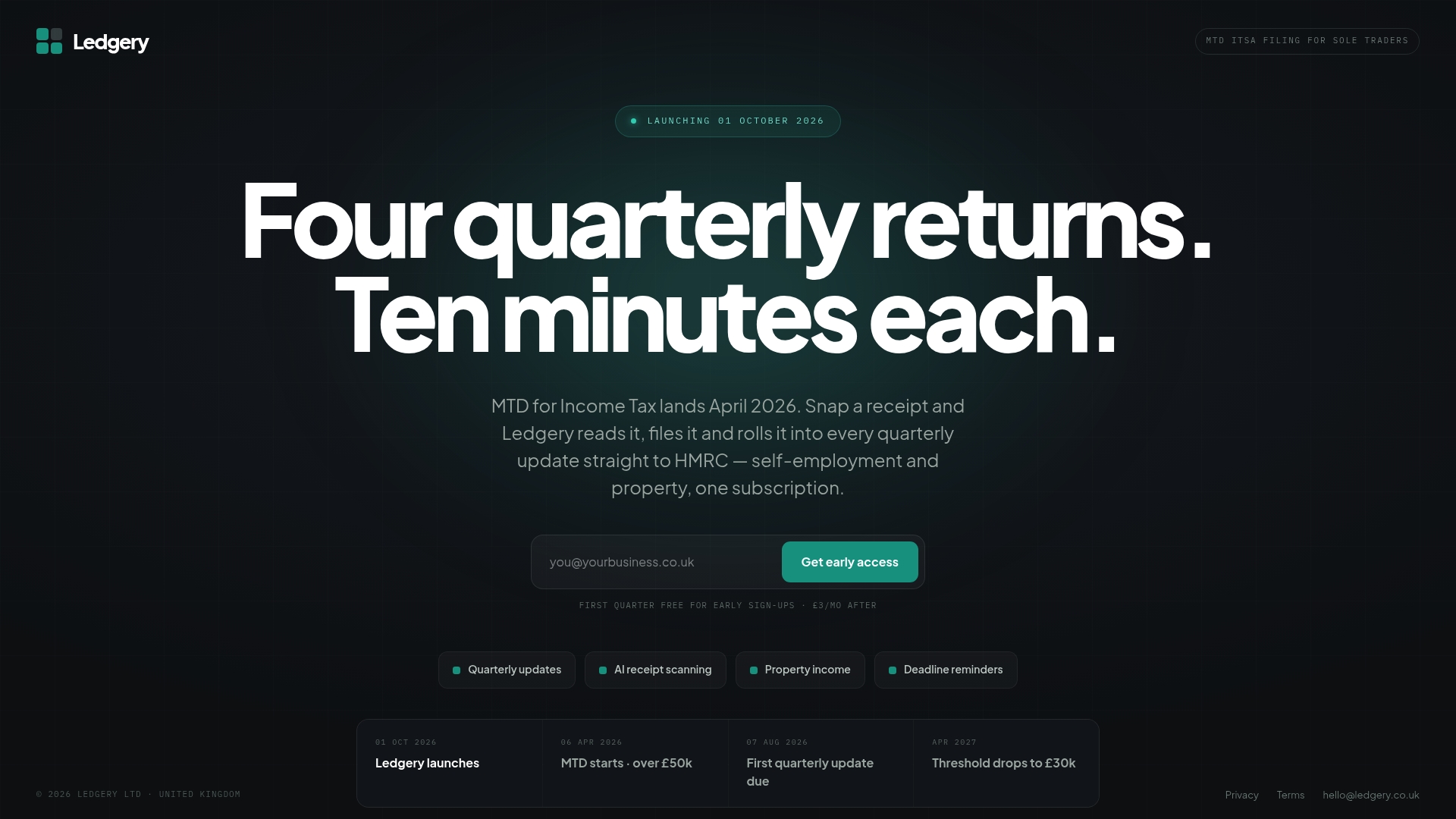
Receipt scanning captures expenses from a photo. Quarterly HMRC updates are generated automatically from your records. Deadline alerts mean you are not relying on a calendar reminder you set once and forgot. The first quarter is free, so the workflow benefit is testable before any subscription cost applies. Ledgery supports sole trader and property income; if your situation involves a limited company or VAT, you will need a broader platform.
To see whether the time saving is real for your situation, start your free first quarter with no commitment required.
Sources
- 10 Key Accounting Software Benefits for Businesses | NetSuite
- Features and Benefits of Accounting Software
- Accounting Software vs Excel for Small Businesses: Which Is Better? - The Accounting Playbook
- Accounting Software Vs Spreadsheets. Which Is The Best Fit?
- When is the right time to change bookkeeping software? | The Bookkeeping Department
Recommended
Self-employment and property income in one subscription, first quarter free. Join the early access list and we’ll email you once, when it opens.
Join early access